Tutorial: Permacomputing & Lichen-Markdown
Lichen-Markdown is a permacomputing CMS (content management system) — or in slightly less jargony language, its a simple tool for making websites.
Permacomputing is a topic that I love, for its approach to software, its aeshetics, and the combination.

One nice definition of Permacomputing according to Fiber Space:
"Said with tongue in cheek, permacomputing is a radically slightly more sustainable approach to computer and network technology inspired by permaculture. It is both a concept and a small nascent community of practice-oriented around issues of resilience and regenerativity in digital technology derived, among others, from permaculture principles. In a time where computing epitomises industrial waste, permacomputing encourages the maximising of hardware lifespans, minimising energy use and focussing on the use of already available computational resources."
You can read more about permacomputing in some of these places:
- http://permacomputing.net/ — a permacomputing wiki
- a newsletter I wrote titled "Permacomputing & Infinite Time"
- Permacomputing Aesthetics: Potential and Limits of Constraints in Computational Art, Design and Culture (a paper by Brendan Howell et al.)
- Hannah Gmeiner on Permacomputing in Graphic Design
- Berlin Permacomputing Meetup
- The Lo-Fi Art and Human Tools Era
I (max) started working on lichen-markdown three years ago with @abekonge, a friend from solpunk, through a discussion on Scuttlebutt where a friend named @soapdog helped fork the codebase of the original lichen project, to make it work with markdown instead of gemini.
Gemini is a more minimal alternative to HTML, and is also an interesting permacomputing project in its own right. The original lichen was a CMS that uses gemini as its markup language (the format that content is written in). However, gemini is so minimal, that it can be too restrictive for a lot of contexts — for instance, gemini has no notion of inline-links (like this), and all links need to appear on their own line. Like below:
https://www.joedolson.com/2006/05/inline-links-for-usability/
Markdown is a more flexible markup language, that allows for inline links, as well as some other features. Markdown is also very commonly used, recently even being adopted by Microsoft Word (https://ppc.land/microsoft-expands-markdown-ecosystem-with-new-document-conversion-tool/).
Many CMS and tools for making websites support writing pages and posts in Markdown. HTML and CSS are useful when you need to have full control over how a page is styled, but if you already know what style the page should be in, and just want to add new pages or more content, its easier to write the content in a simpler format like Markdown.
In another tutorial, we will go over how to self-host a website with Yunohost with hand-written pure HTML which is also a great approach, but we're starting with Lichen-Markdown because its an easy way to get started self-publishing, and it also has "preview" functionality built-in that lets you make changes and see what they look like (similar to other tools for learning programming, like glitch).
Lichen-Markdown is a CMS, of which there are many others (like Datenstrom Yellow, ProcessWire, Wordpress and Kirby), but it tries to be as simple as possible. For a complicated website, this could be limiting and another tool might be better, but for simple websites it can actually be nice and mentally relaxing to have fewer features. I've written some more thoughts about simplicity and permacomputing business models here, and you can also read more about Lichen-Markdown on its website.
Now with all that intro, how do you actually use it?
⚘⚘⚘⚘⚘⚘⚘⚘⚘⚘⚘⚘⚘⚘⚘⚘⚘⚘⚘⚘⚘⚘⚘⚘⚘⚘⚘⚘⚘⚘⚘⚘⚘⚘⚘⚘⚘⚘⚘⚘⚘⚘⚘⚘⚘
Lichen-Markdown has a yunohost package, so you can easily install it through Yunohost. But note that it needs to have its own domain, and cannot be installed on a subpath like Etherpad. So the first step is to make a new domain that is visible on the public internet.
If you installed yunohost in the cloud, then you can use the domains section of the yunohost admin interface to make a new subdomain of your nohost domain (e.g. lichen.mycutename.nohost.me) or a new subdomain of your own custom DNS that you configured with yunohost (e.g. lichen.mycutewebsite.com).
If you installed yunohost on a local server, then you can use the domains section of your yunohost admin to make a new subdomain of commoninternet.net (e.g. cutesite7000.commoninternet.net), and then register this domain on the tunnel gateway https://gateway.commoninternet.net (note that its fine to register multiple domains on the gateway that point to the same IP address).
Once you have a domain for your lichen website, you can then install Lichen-Markdown through yunohost onto your domain, and if it works, when you visit your domain, you should see the generic Lichen-Markdown starter page.
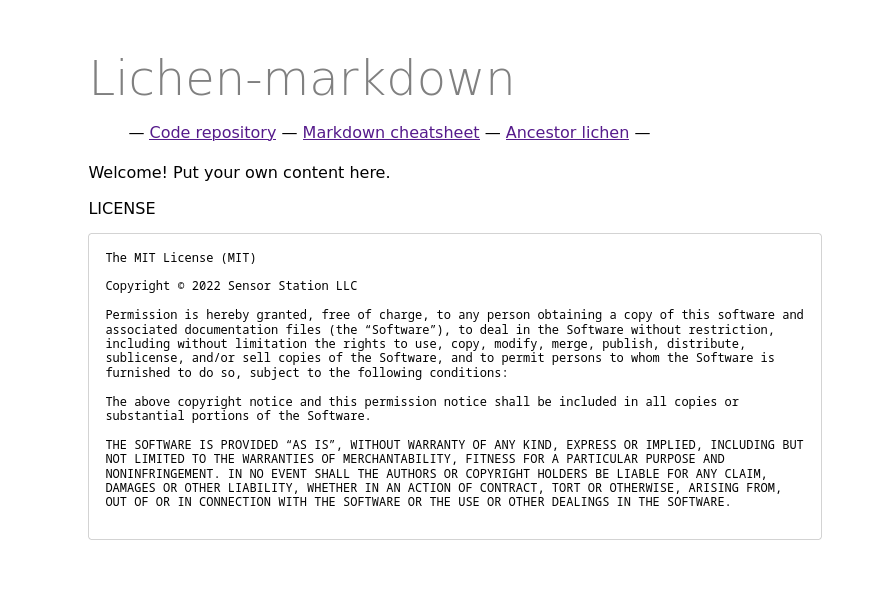
Now that Lichen-Markdown is running, you can start editing the content and style of your website through the admin interface.
Visit yourcutedomainyouchose/admin and then you should be prompted to enter a username and password.
The username is ==admin== and the password is whatever you chose during the installation.
Once you login, you should see an editing interface like this:
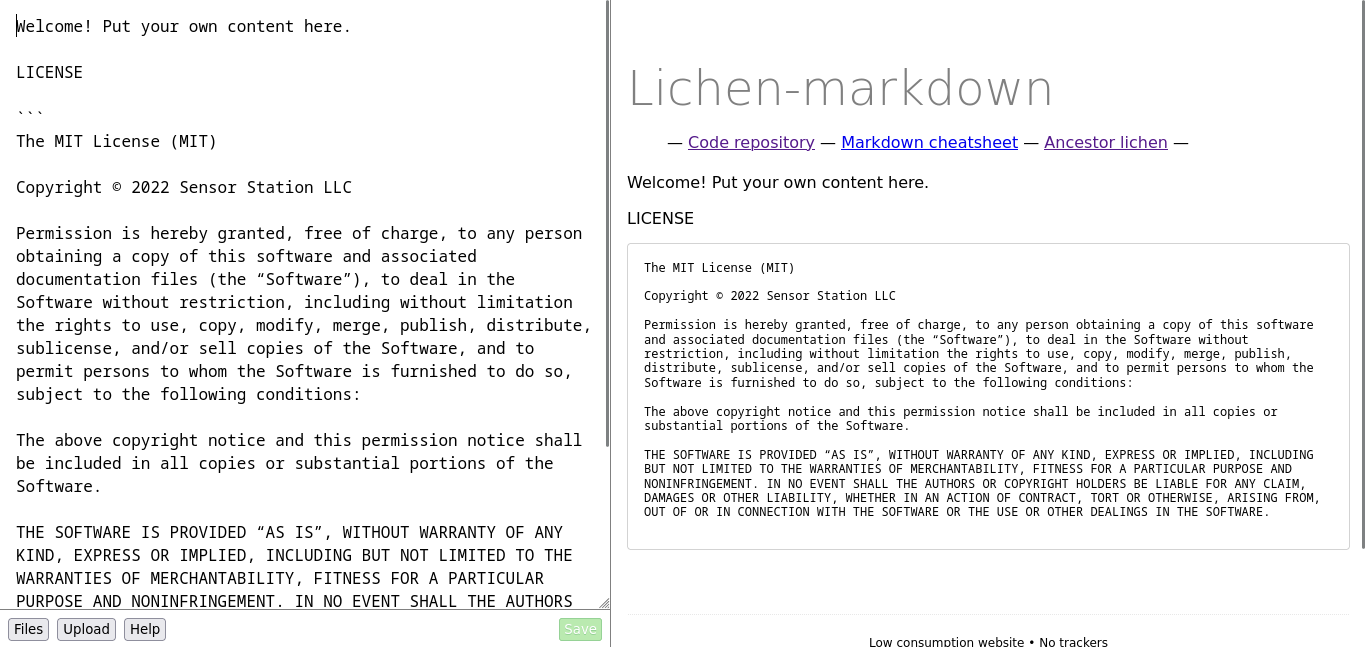
You can edit the text on the left, and a preview of what it will look like will appear on the right. Click "Help" for some tips on markdown syntax, which will also include a link to a more detailed guide about markdown here. When you click "save" your changes will be saved, and visible on the public internet at the URL of your site (you're already self-publishing).
If you click "Upload" you can upload an image, and it will also insert the correct markdown at your cursor position to show that image on the page.
If you click "Files" you will then see the interface where you can add new files, and edit the header, footer and style of the site.
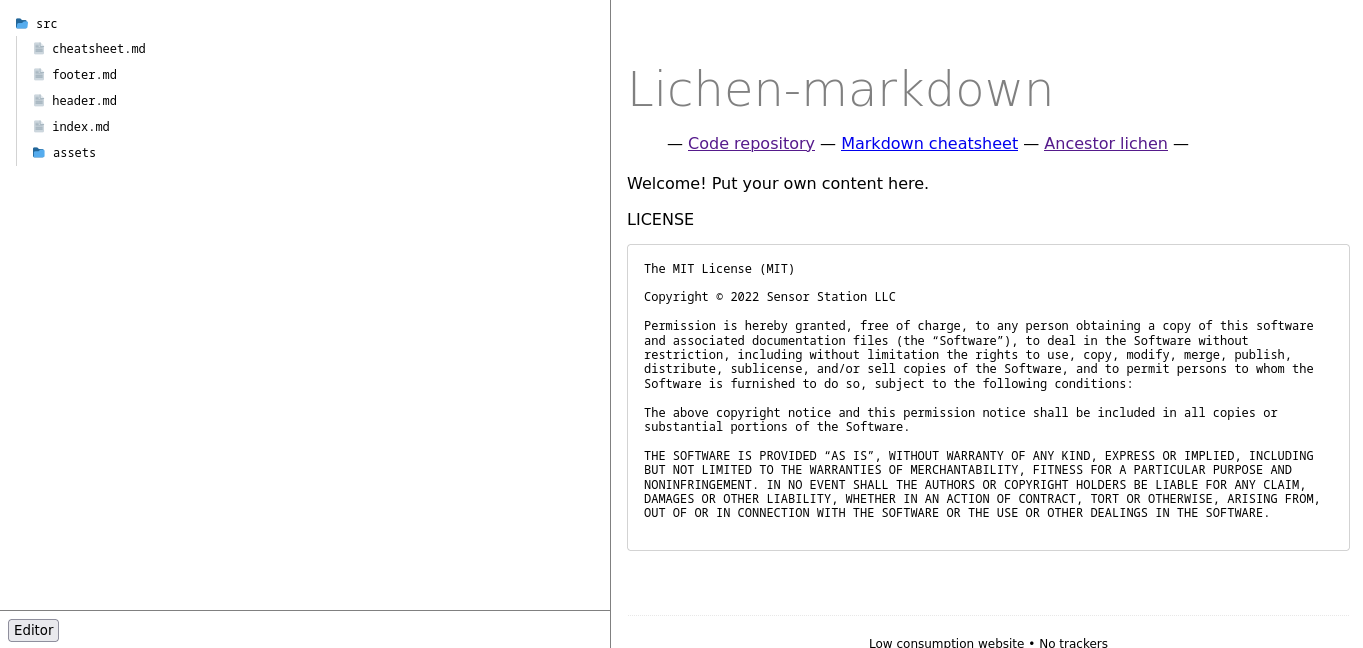
From the files pane, if you click on "footer.md" or "header.md" you can then edit (or remove) the header and footer that appear on every page of the site. Note that if you want to have links to all the pages on the site in the header (a common website navigation pattern) you have to manually add these links to header.md. This is one of the inconveniences of the lichen-markdown limited-automation approach to website making — other more automated tools might have other ways of doing this, but if you don't have that many pages on your site you want to link to, then manually adding links to header.md isn't much of an issue.
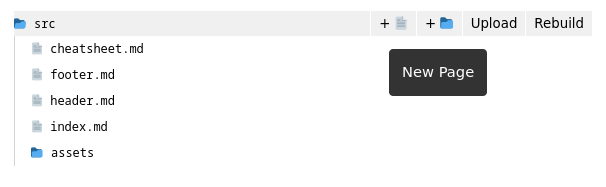
By hovering over a folder on the file navigation, you should see an option to add new pages or folders via the buttons with a plus next to them:
If you click on "assets" and then "stylesheet.css" you can also edit the CSS for the entire site which effects how it looks.
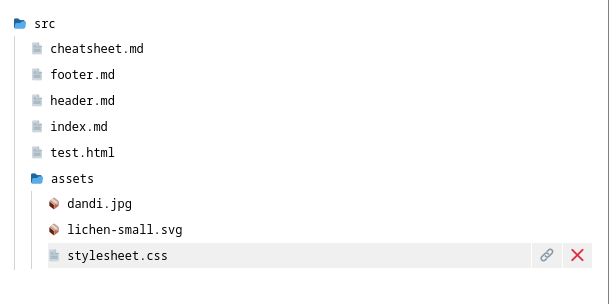 For example, add the following snippet of CSS to stylesheet.css to make your website blue:
body {
   background: blue;
}
A full guide to learning to write HTML and CSS is here. In this guide, they hand-write the HTML and publish it locally, but all the info about HTML and CSS applies equally as much to lichen-markdown as to their guide.
You can also watch a video tutorial about the basics of CSS by Laurel Schwulst here.
And a video tutorial she made about the basics of HTML is here.
LLMs will also give pretty good explanations of CSS if you ask it specific questions about what you are trying to do.
Lichen-Markdown adds some convenience on top of hand-writing HTML because you can add and create pages through the browser, and whatever changes you make to footer.md, header.md and stylesheet.css apply to every page — beyond that its not a far cry from working directly in HTML, which is the basic bedrock format of most of the internet.
Someone once described Lichen-Markdown as a halfway house between a CMS and hand-writing HTML, which seems accurate lol.
⚘⚘⚘⚘⚘⚘⚘⚘⚘⚘⚘⚘⚘⚘⚘⚘⚘⚘⚘⚘⚘⚘⚘⚘⚘⚘⚘⚘⚘⚘⚘⚘⚘⚘⚘⚘⚘⚘⚘⚘⚘⚘⚘⚘⚘
Lichen-Markdown is free software, and a sort of experiment in learning about HTML, permacomputing and self-publishing. Use as inspired — any feedback, feature requests or bug reports are welcome.
Also note, that any websites you make with Lichen-Markdown, or skills you learn using this tool, can also easily be published and translated elsewhere, through more conventional platforms, like github pages, or with other markdown CMS (this will be covered in another tutorial).